
Wait Staff Analytics
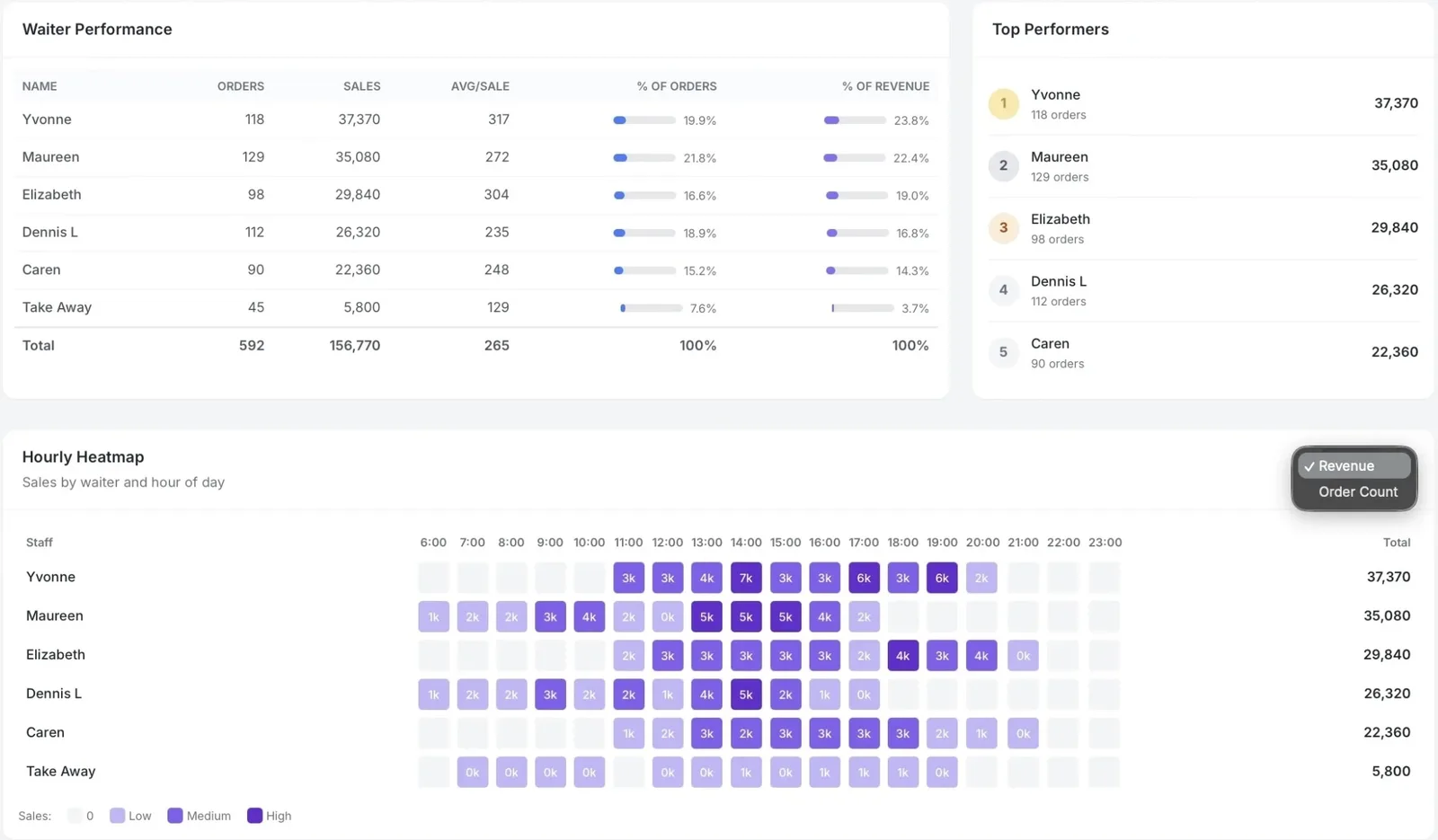
Orders per hour, revenue per staff member, hourly heatmaps. Know who's selling and when. Complete orders in seconds with keyboard shortcuts — built for the lunch rush.
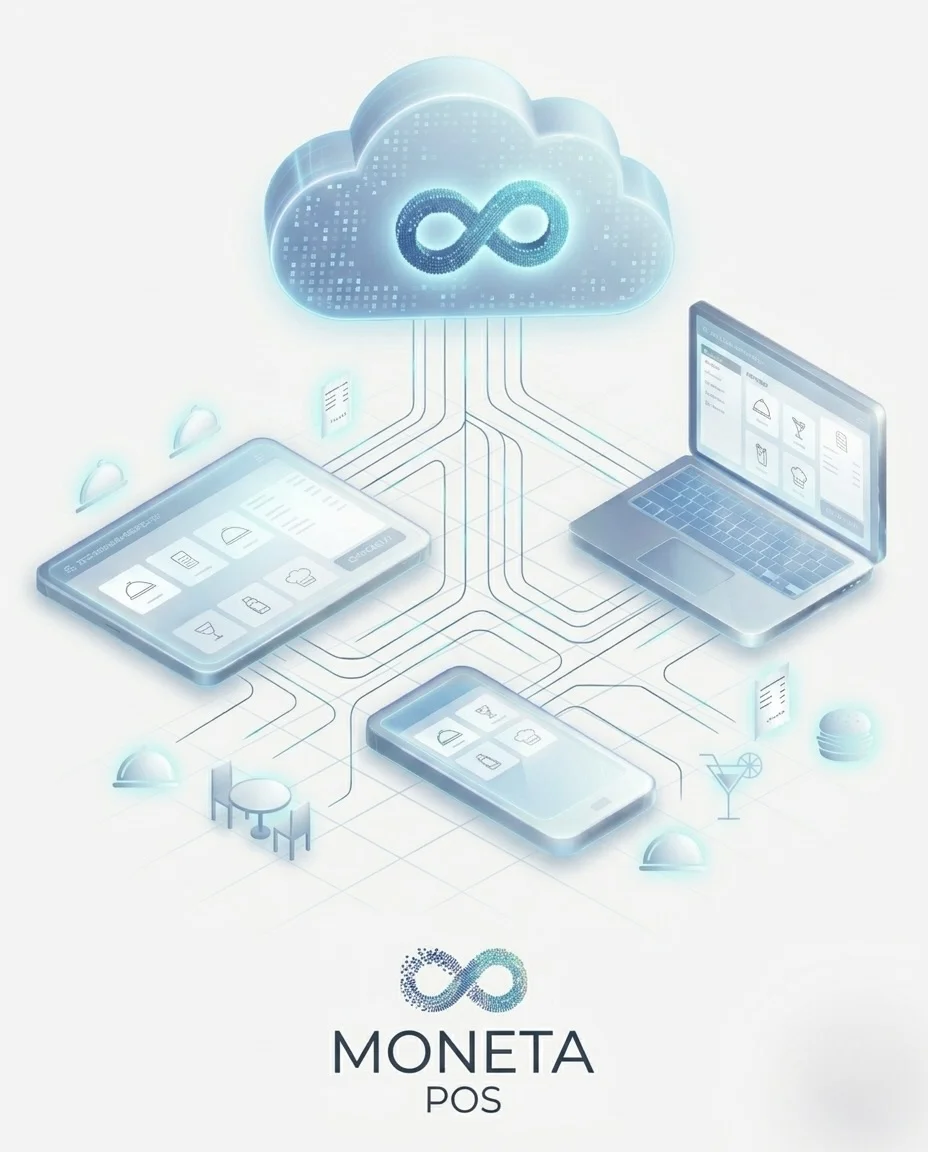
No server to buy. No technician to call. Sign up, add your menu, and start taking orders in under 5 minutes — from any phone, tablet, or desktop. Free tier included — no credit card required.
Start free — 3 wait staff, 2 terminals. Upgrade anytime. From KES 1,000/month +VAT.

Setup time — sign up to first order
Cloud restaurants and growing
Transactions processed daily
Cloud infrastructure uptime
From signup to your first order — no server, no technician, no complexity.
Sign up on the portal and enter your business name. Your POS is provisioned in under 5 minutes — dashboard URL ready to go.
Install on any Windows, macOS, or Linux computer. Connect to your cloud URL. Download →
Download the tablet app for tableside ordering. Wait staff take orders at the table with modifiers, float management, and kitchen printing. Available on all plans (1 tablet on Free, 3+ on paid).
Take orders at the table. No paper pads, no walking back to the cashier. Orders go straight to the kitchen printer.
Available on all cloud plans (1 tablet on Free, 3+ on paid) and any On-Prem paid plan.
Download Tablet App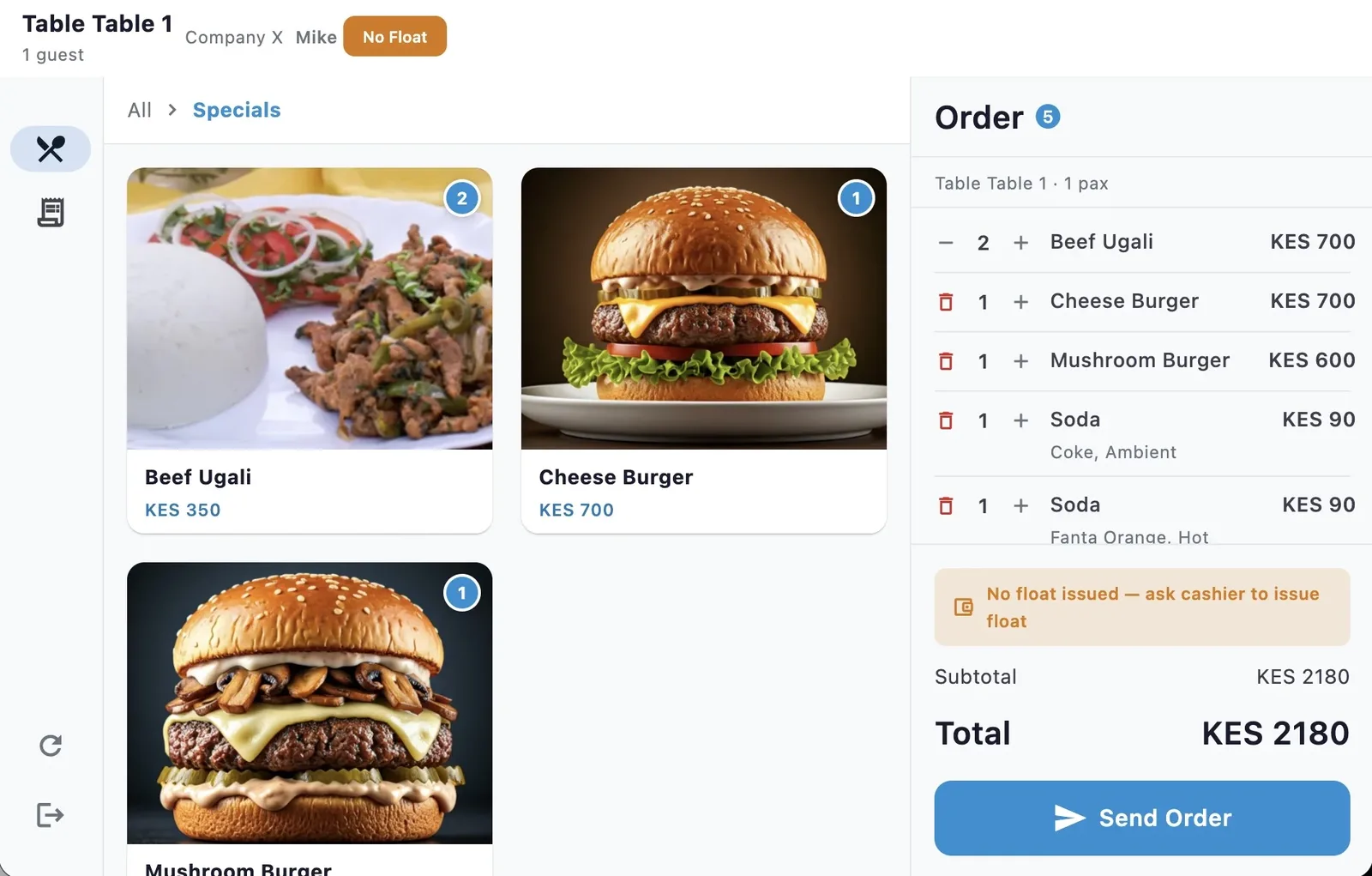
Moneta Pay Cloud gives you the full POS experience without buying or managing a server.
Sign up, add your menu, and open the POS on any phone, tablet, or desktop. You're live in under 5 minutes.
No servers to buy or maintain. Just an input device (tablet, phone, or desktop), a network thermal printer, and reliable internet.
Free tier with 3 wait staff and 2 terminals. No credit card, no trial expiry. Upgrade for advanced features.
Automated daily backups with 7-day retention. Your data is always safe and exportable.
The same powerful tools trusted by 200+ on-prem restaurants — now available without a server.
Orders per hour, revenue per staff member, hourly heatmaps. Know who's selling and when. Complete orders in seconds with keyboard shortcuts — built for the lunch rush.
Take orders from a tablet, phone, or laptop. No specialised hardware needed — use what you already have.
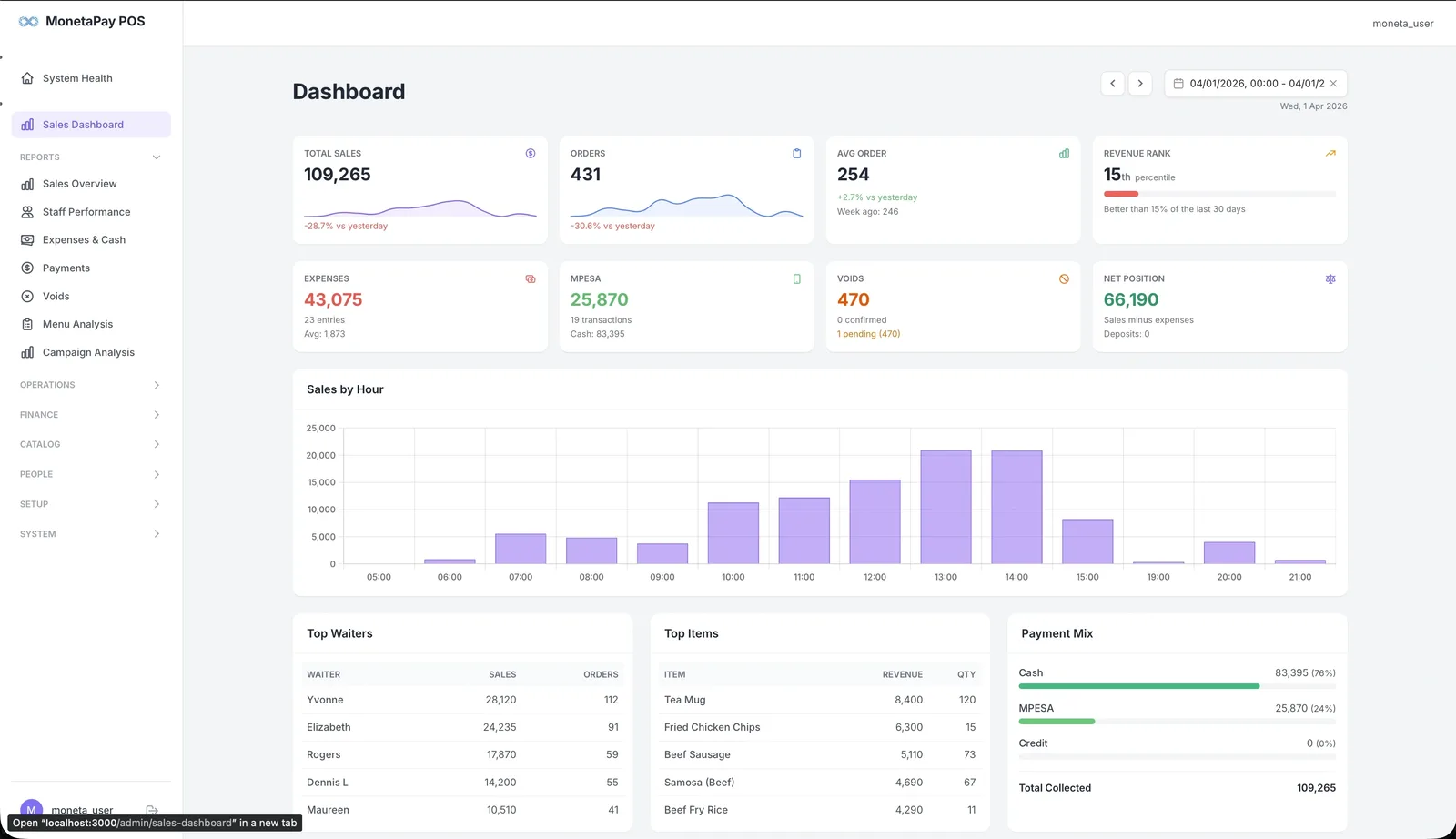
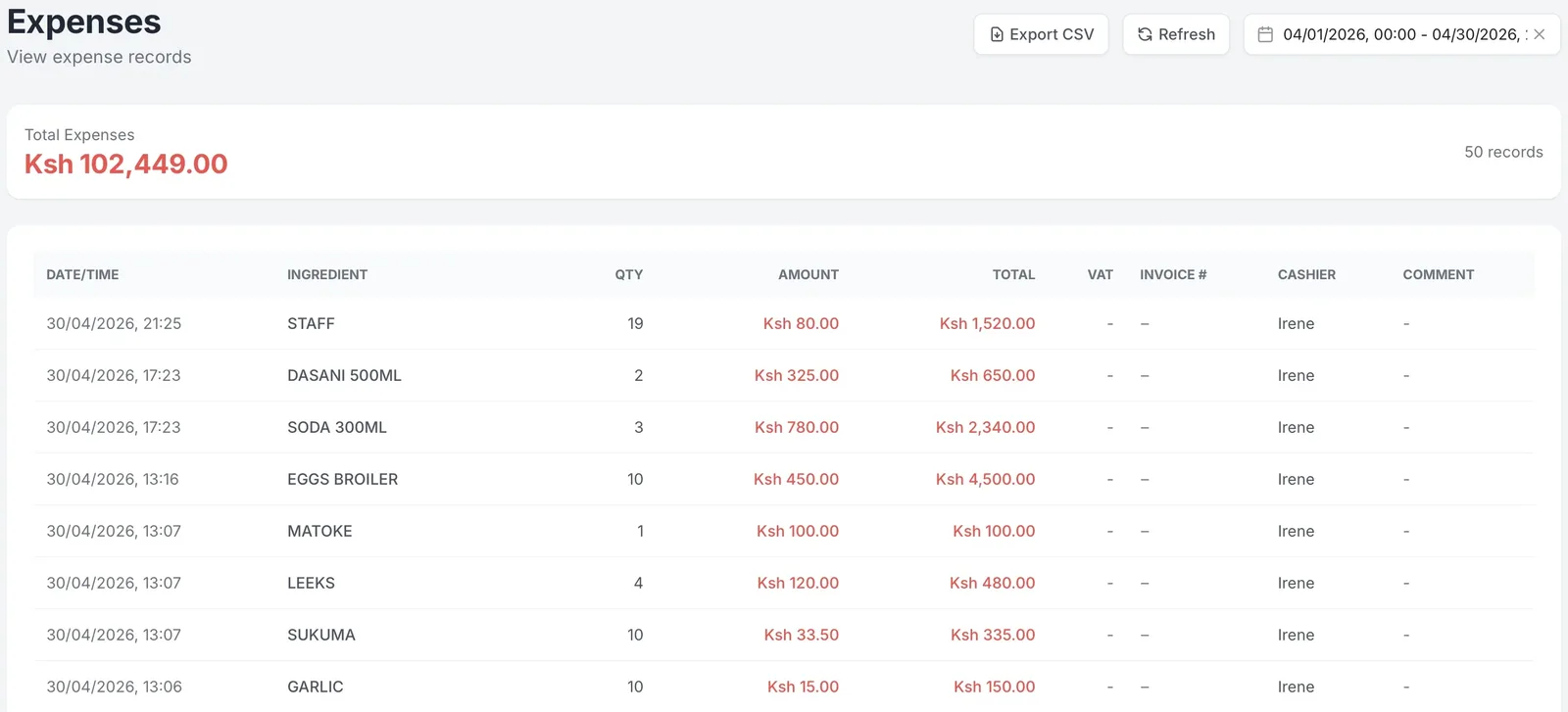
Sales dashboard, wait staff performance, expenses, menu performance analysis, and more — real-time visibility into every part of your operation.
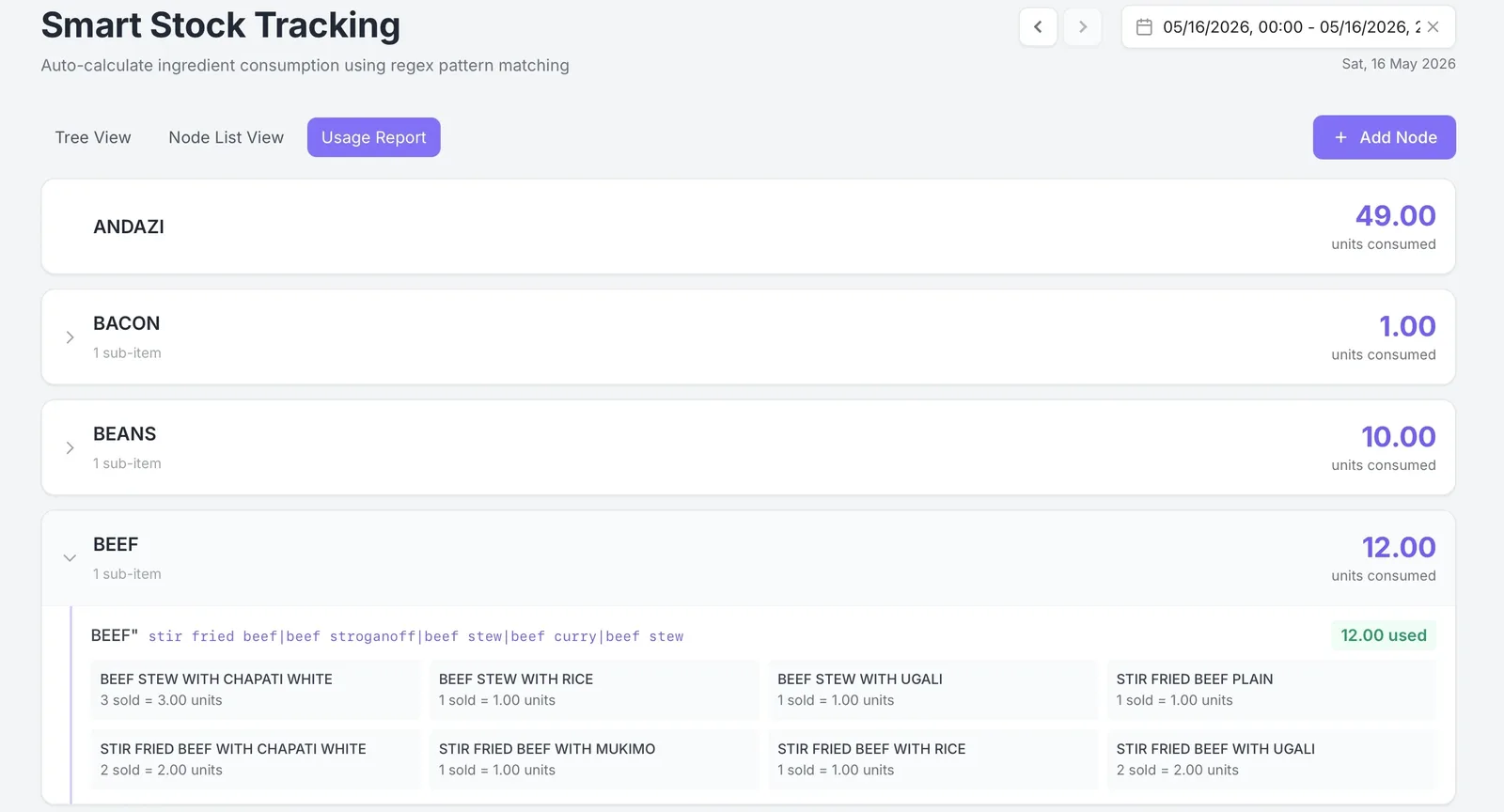
Auto-calculate ingredient consumption from sales. No manual counting. Available from Cloud 2.
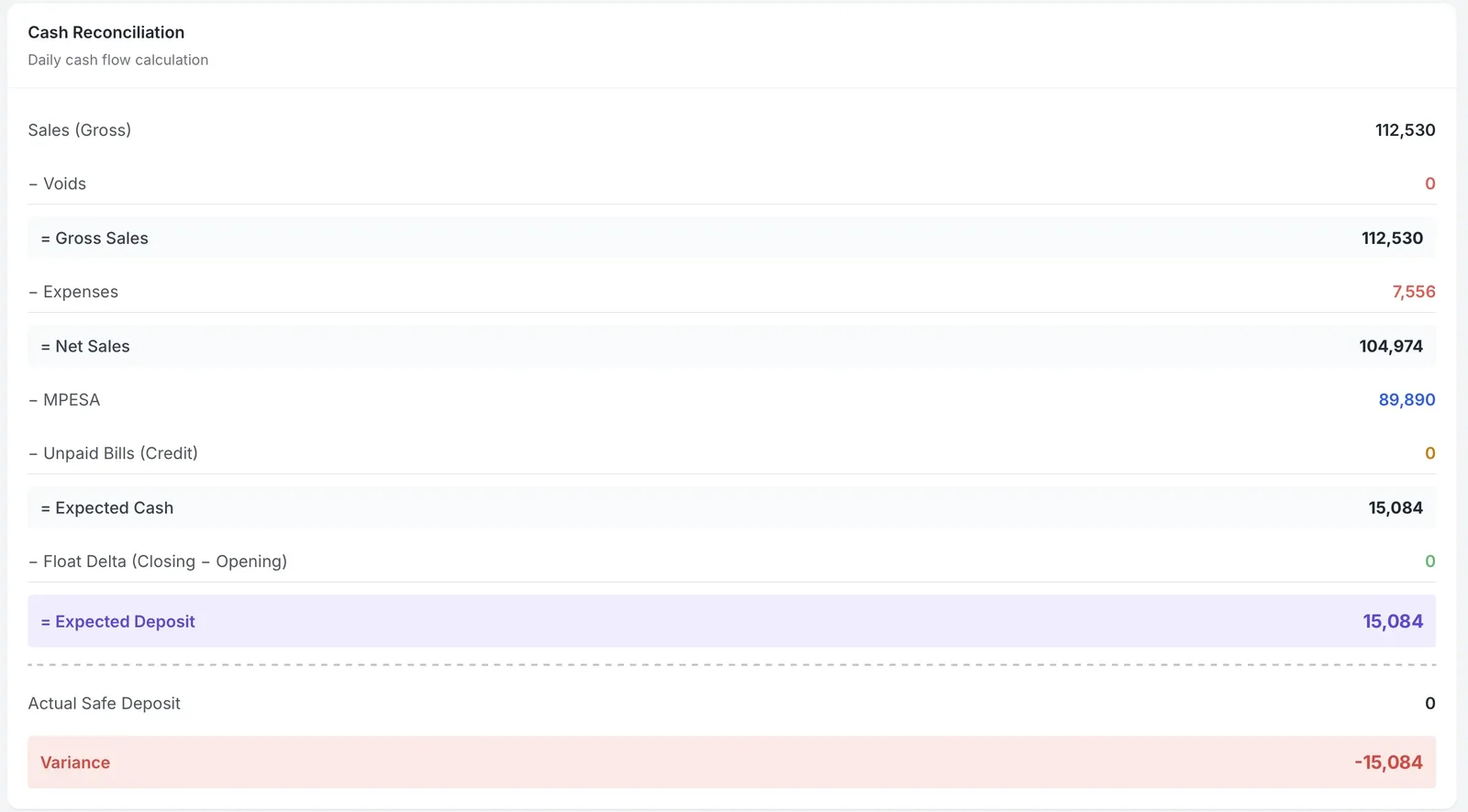
Automated end-of-day cash reconciliation. Know exactly what should be in the till — down to the shilling.
Your cloud server renders receipts. The desktop POS client delivers them directly to your local printer over your network — fast, reliable, no cloud-to-printer magic required.
Complete an order and tap Print on the POS client. The cloud server renders your receipt instantly.
The POS client downloads the formatted receipt and sends it directly to your thermal printer over your WiFi or Ethernet.
Receipt prints on your thermal printer. Kitchen tickets route automatically. Works with any ESC/POS network printer.
Requires a network (Ethernet/Wi-Fi) thermal printer on the same local network as the POS client. Standard port 9100.
Start free. Scale when you're ready. Monthly billing, no lock-in.
Revenue caps are monthly soft limits — you get a friendly warning at 80% and are only blocked from new orders at 100%. Upgrade anytime to raise or remove the cap. Your data and settings stay intact.
Need fiscal compliance (KRA eTIMS) or offline operation? See On-Prem plans
From single-outlet cafes to multi-branch chains, Moneta Pay POS powers restaurants that serve thousands of customers every day.

"We've been running Moneta Pay POS for over 10 years now. The wait staff analytics alone have helped us cut idle time by 30%. We can see exactly who's performing and who needs support. The system just works — even when our internet drops."

"During our lunch rush on Tom Mboya, speed is everything. Our cashiers place orders in seconds using keyboard shortcuts. The M-PESA reconciliation saves us hours every week — we used to match payments manually."

"Managing three branches used to mean driving between locations. Now I check sales, expenses, and staff performance from my phone. The void audit trail gives us complete accountability."

"As a specialized concept under the Olive brand, we needed a POS that could handle our unique menu while keeping the same reporting standards across all locations. Moneta Pay does exactly that — one system, consistent data, easy to train new staff."

"The kitchen ticket routing is flawless. Orders go to the right station every time. And the expense tracking helps us monitor our food costs daily — we can spot price changes from suppliers immediately."
No server. No setup fee. No lock-in.
3 wait staff, 2 terminals, all core features. No credit card required.